

Choice lets the LLM present a set of options as clickable buttons instead of asking the user to type a response. The selection flows back into the conversation as a message, giving the LLM clean structured input.
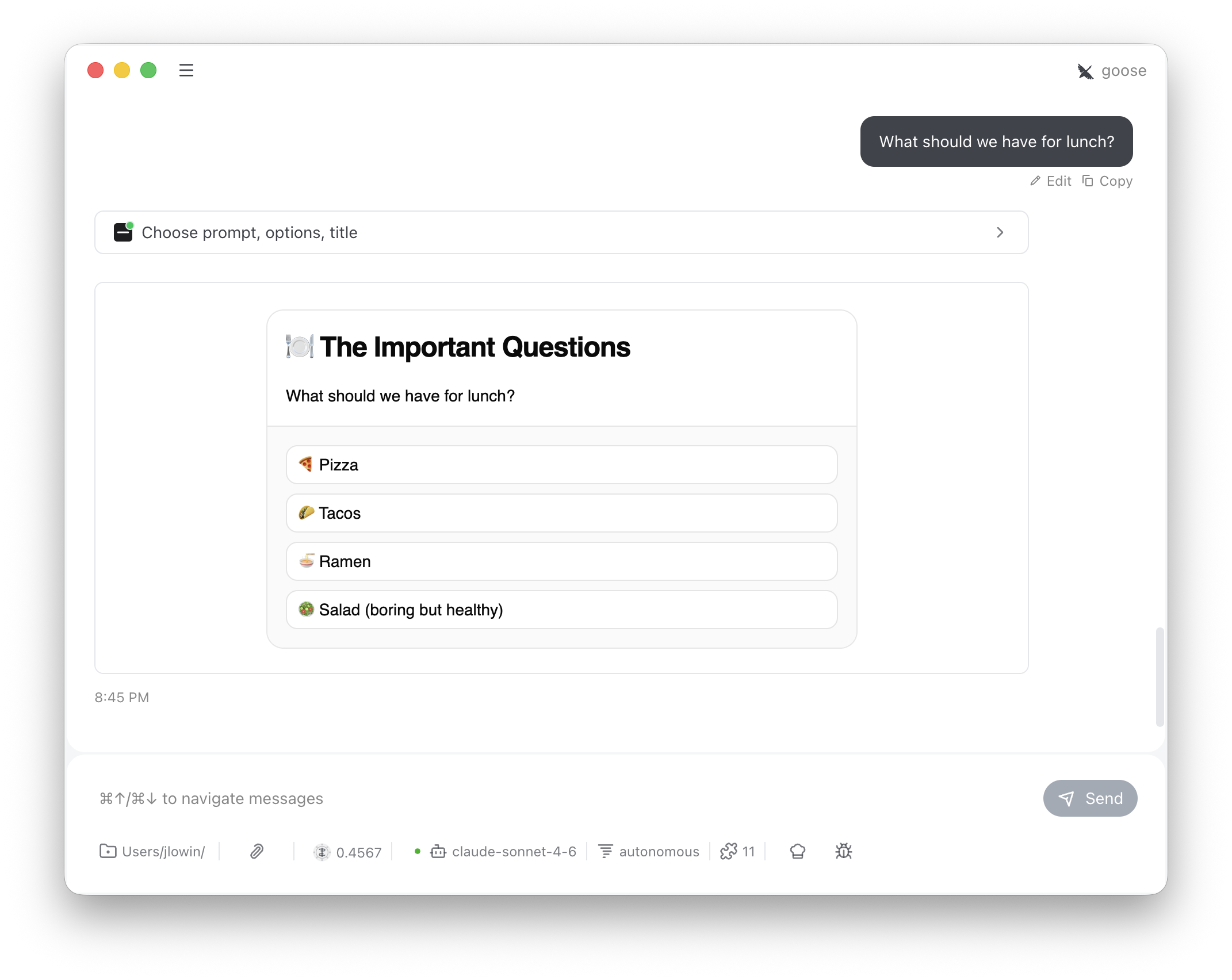
The LLM calls
choose with a prompt and a list of options. The user sees a card with one button per option. Clicking one sends a message back into the conversation:
This is an advisory interaction, not an enforcement mechanism. The conversation isn’t blocked while the card is open — the user can keep typing, and the LLM could proceed without waiting. The tool description instructs the LLM to stop and wait for the “I selected:” response, but for hard enforcement, implement selection logic server-side.
Configuration
The constructor sets defaults; the LLM can overridetitle per-call.
How it works
Each option renders as a full-width button in a vertical stack. When the user clicks one:SendMessagepushes the selection into the conversation as a user messageSetState("decided", True)replaces the buttons with “Response sent.”