

Approval adds a human-in-the-loop confirmation step to any server. The LLM presents what it’s about to do, the user approves or rejects via buttons, and the decision flows back into the conversation as a message.
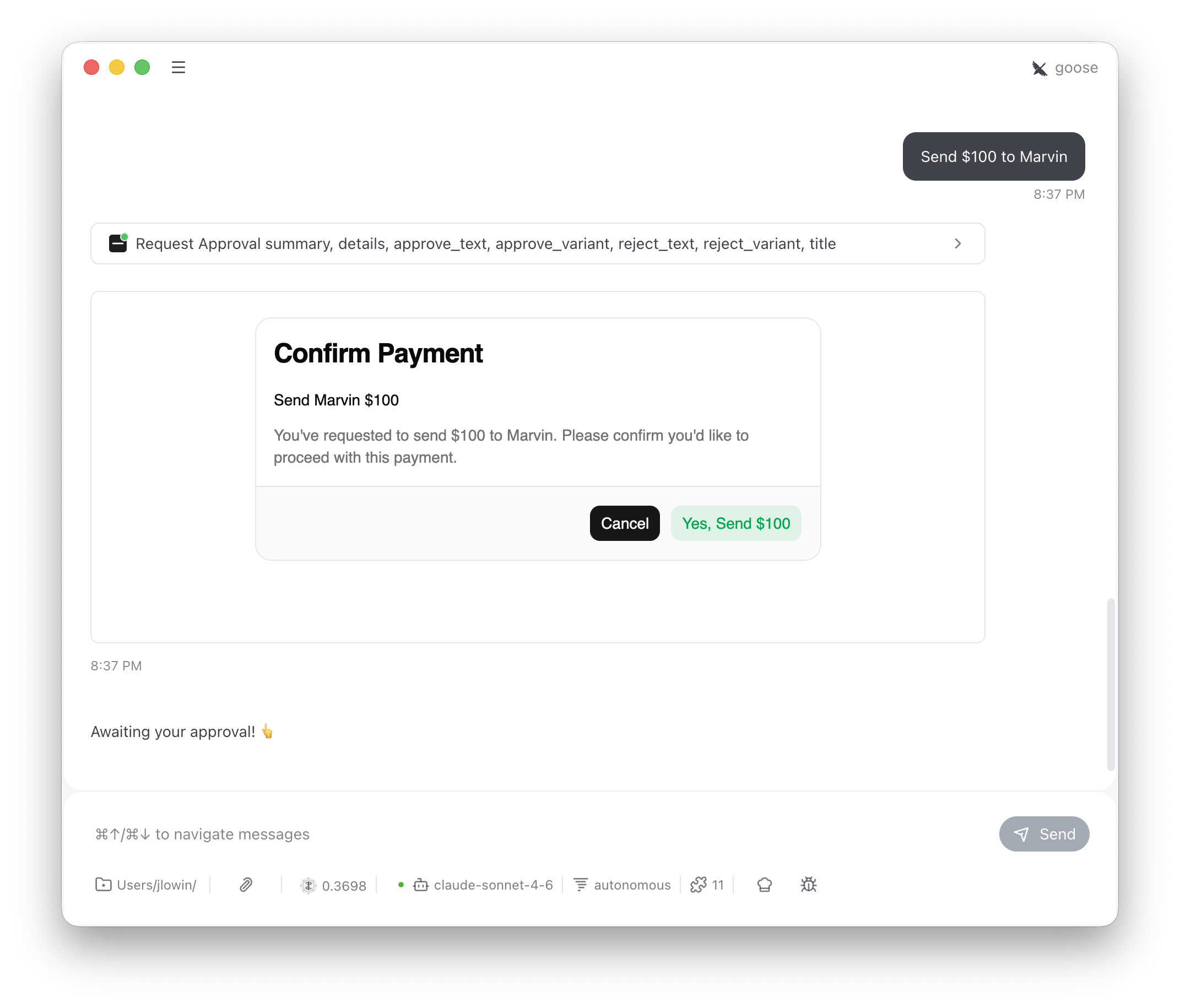
The LLM calls
request_approval with a summary (and optional details) whenever it’s about to take a significant action. The user sees a card with Approve and Reject buttons. Clicking either sends a message back into the conversation via SendMessage, which triggers the LLM’s next turn.
The message looks like it came from the user:
Approval is an advisory gate, not an enforcement mechanism. The conversation isn’t blocked while the card is open — the user can keep typing, and a determined LLM could proceed without waiting. Think of it as a strong UX signal that encourages confirmation, not a security boundary. For hard enforcement, implement approval logic server-side in your tool implementations.
Configuration
The constructor sets defaults; the LLM can override all of these per-call via tool arguments.How it works
When the user clicks a button, two things happen:SendMessagepushes the decision into the conversation as a user messageSetState("decided", True)replaces the buttons with “Response sent.”